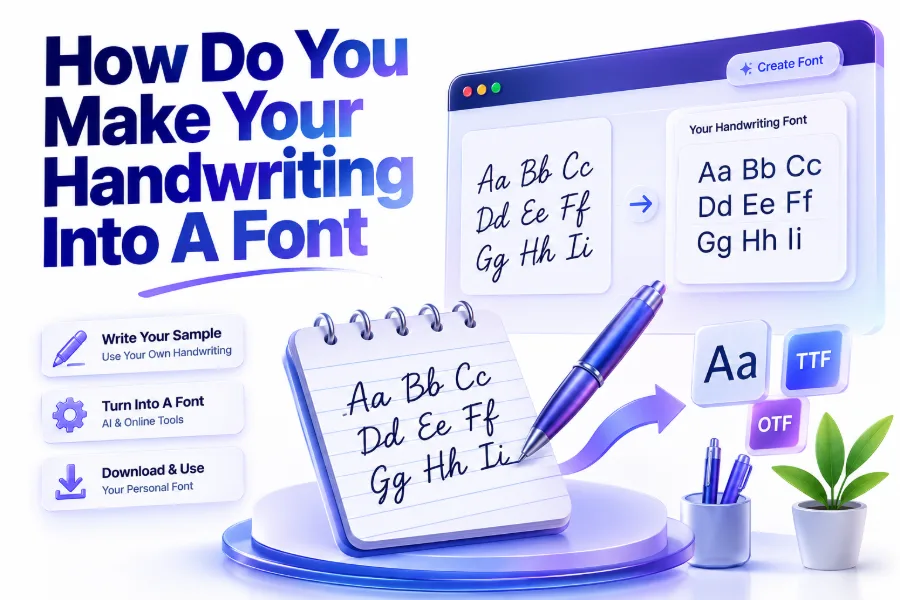
Turning your handwriting into a digital font is a creative way to preserve your personal writing style and use it across computers, phones, and design projects. Many people wonder how do you make your handwriting into a font because custom handwriting fonts can add a personal touch to invitations, artwork, school projects, branding materials, and digital documents.
The process is easier than most people expect. With the help of handwriting font generators and font creation tools, you can transform handwritten letters into a usable font file without needing advanced design skills. All you need is clear handwriting, a scanner or camera, and the right software.
A custom handwriting font allows you to type messages that look like they were written by hand. Whether you want to create a digital version of your signature, preserve a family member’s handwriting, or design a unique creative font, the steps are simple when you follow the correct process.
Prepare Your Handwriting Sample Before Creating A Font
The first step in creating a handwriting font is preparing a clean and complete handwriting sample. Most font creation tools require examples of every letter in the alphabet, along with numbers and common symbols.
Use plain white paper and a dark pen or marker to create clear characters. Avoid using pencils or light-colored ink because they may not scan properly. Writing each character carefully helps maintain the natural appearance of your handwriting.
Your handwriting sample should represent your normal writing style. Avoid trying to make your letters unusually perfect because the goal is to capture your authentic handwriting personality.
Use A Font Template For Better Results
Many handwriting font websites provide downloadable templates that show where each letter and symbol should be written. These templates help organize your characters and make the conversion process easier.
Follow the template instructions carefully and fill in every required section. Missing letters or unclear symbols can create problems when the software generates your final font file.
Scan Or Upload Your Handwriting Correctly
After completing your handwriting sample, you need to digitize it. A scanner usually provides the best results because it captures sharper details and cleaner lines. However, a high-quality smartphone photo can also work if taken properly.
Make sure the image is well-lit and the paper is flat. Shadows, blurry photos, or uneven backgrounds can affect how accurately the tool recognizes your handwriting.
Once uploaded, the font generator analyzes each character and converts your handwritten letters into digital font data. The cleaner your sample, the more natural the final font will look.
Choose The Right File Format
Font files are usually saved in formats such as TTF (TrueType Font) or OTF (OpenType Font). These formats work with most computers and design programs.
A TTF file is commonly used because it is widely supported and easy to install. OTF files may offer additional design features for professional projects.
Things You Need Before Creating A Handwriting Font
- Clean handwriting sample
- Black pen or marker
- White paper or font template
- Scanner or high-quality camera
- Handwriting font creation tool
- Basic editing software (optional)
Use Handwriting Font Generator Tools
Online handwriting font generators make the conversion process simple for beginners. These platforms allow users to upload handwriting samples and automatically create a downloadable font file.
Most tools follow a similar process: download a template, write the characters, upload the completed sheet, and generate the font. Some services also allow small adjustments after conversion.
These tools are useful for students, designers, teachers, and anyone who wants a personalized writing style for digital use.
Popular Features Of Font Creation Tools
Different platforms offer various customization options. Some allow users to adjust spacing, edit individual characters, and improve alignment after the font is generated.
Advanced tools may also support multiple handwriting styles, ligatures, and special characters. These features are helpful for creating professional-looking fonts.
Benefits Of Creating Your Own Handwriting Font
| Benefit | Description |
|---|---|
| Personal style | Adds a unique handwritten appearance to digital content |
| Creative projects | Useful for invitations, posters, and artwork |
| Digital preservation | Saves your handwriting in a reusable format |
| Branding | Creates a personal touch for creative businesses |
| Convenience | Allows typing instead of rewriting text manually |
Install And Use Your Custom Handwriting Font
Once your handwriting font is created, you can install it on your computer like any other font. After installation, it becomes available in programs such as word processors, design software, and presentation tools.
To install a font, download the font file and open it on your device. Most operating systems provide a simple installation option that adds the font to your available typefaces.
After installation, open a document or design application and select your custom font from the font menu. You can then type using your own handwriting style.
Test Your Font Before Final Use
Before using your handwriting font for important projects, test it with different words and sentences. Some characters may need adjustments if they appear uneven or incorrectly spaced.
Testing helps identify missing symbols, unusual letter combinations, or spacing issues. Making small improvements can create a much more natural-looking result.
Improve The Quality Of Your Handwriting Font
Creating a handwriting font does not always produce perfect results immediately. Some letters may look different from your original writing because digital conversion tools interpret handwritten characters individually.
You can improve the final appearance by editing problem areas and creating additional samples. Consistency between letters helps the font look more realistic.
Practicing clear handwriting before creating your font can also improve the outcome. A balanced writing style with consistent letter sizes usually converts better.
Maintain Your Natural Writing Characteristics
A good handwriting font should keep the unique features that make your writing recognizable. Avoid editing every irregularity because small differences often make handwriting fonts feel authentic.
The goal is not to create a perfectly typed font. Instead, it is to create a digital version that still feels personal and handwritten.
Tips For Creating A Better Handwriting Font
- Write slowly when creating your sample
- Use consistent letter sizes
- Keep enough spacing between characters
- Avoid pressing too hard with your pen
- Check every required symbol
- Review the generated font before sharing
- Save multiple versions during editing
Creative Ways To Use A Handwriting Font
A custom handwriting font can be used for many personal and professional projects. Designers often use handwritten fonts to create unique visual styles that feel more personal than standard typefaces.
Teachers may use handwriting fonts for worksheets and educational materials, while businesses can use them for branding elements. Individuals can also create personalized cards, labels, and digital artwork.
You can explore more handwriting-related resources here: [Internal Link: Handwriting Improvement Tips]
Examples Of Handwriting Font Uses
Some popular uses include:
- Personalized digital signatures
- Wedding invitations
- Social media graphics
- Classroom worksheets
- Logo designs
- Digital planners
- Greeting cards
Conclusion
Creating a digital version of your handwriting is a simple way to combine traditional writing with modern technology. With the right preparation, a clear handwriting sample, and a suitable font creation tool, anyone can transform their writing style into a usable digital font.
The quality of your final font depends on the details you provide during the creation process. Taking time to write carefully, upload clear samples, and review the finished result will help produce a more natural-looking typeface.
Learning how do you make your handwriting into a font gives you the ability to preserve your personal writing style and use it creatively across digital projects. Whether for personal memories or professional designs, a custom handwriting font can make your work feel more original and meaningful.
FAQ Section
Can I create a font from my handwriting for free?
Yes, several online tools allow users to create handwriting fonts for free. Free options usually provide basic conversion features, while advanced customization may require paid plans.
How long does it take to make a handwriting font?
Creating a handwriting font can take anywhere from a few minutes to several hours depending on the tool, number of characters, and how carefully the handwriting sample is prepared.
Do I need professional design skills to create a handwriting font?
No, most handwriting font generators are designed for beginners. You only need clear handwriting and the ability to follow basic upload and formatting instructions.
Can I use my handwriting font commercially?
Some handwriting font tools allow commercial use, while others may have restrictions. Always check the license terms before using your font for business projects.
Why does my handwriting font look different from my actual writing?
A handwriting font may look slightly different because software converts individual characters digitally. Better samples, consistent writing, and editing can improve the final appearance.
0 Comments