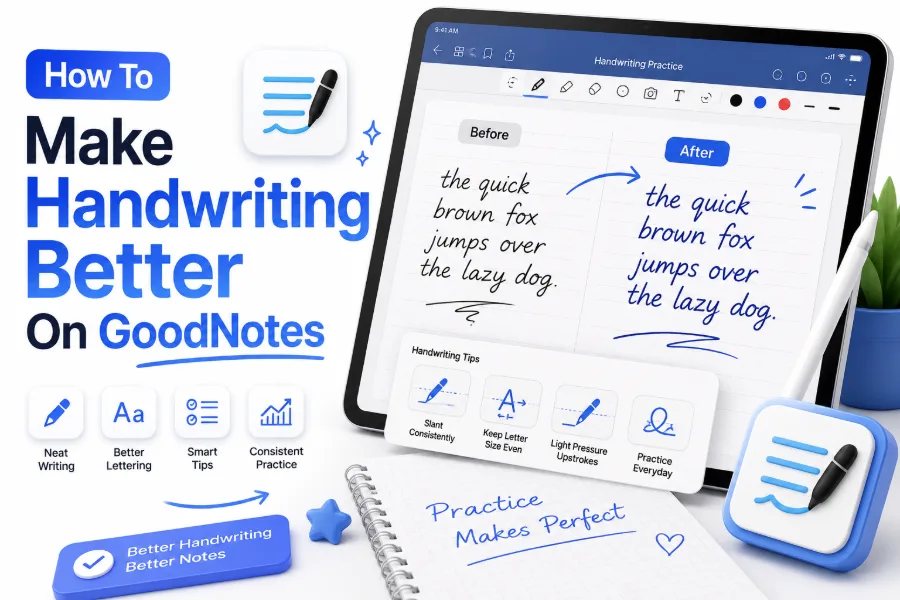
Good handwriting can make digital notes easier to read, more organized, and more enjoyable to review. Many students and professionals use GoodNotes for studying, planning, and note-taking, but creating neat handwriting on a tablet can feel challenging at first. Learning how to make handwriting better on GoodNotes requires the right settings, practice techniques, and a few simple adjustments.
Writing with a digital pen is different from writing on paper. The smooth screen surface, stylus pressure, and available tools can affect how your handwriting looks. With the right approach, you can improve letter formation, spacing, consistency, and overall appearance.
GoodNotes provides useful features that can help you create cleaner notes. By adjusting your pen settings, practicing regularly, and using handwriting-friendly techniques, you can develop a digital writing style that feels natural and looks professional.
Adjust GoodNotes Pen Settings For Better Handwriting
The pen tool settings in GoodNotes can greatly affect how your handwriting appears. Choosing the right pen type, thickness, and color helps create a writing experience that feels closer to using a traditional pen.
A pen that is too thick can make letters look crowded, while a very thin line may reduce readability. Many users find that a medium-sized pen thickness creates a balanced and clean handwriting style.
Experiment with different settings until you find what feels comfortable. Your ideal settings depend on your writing style, tablet size, and personal preference.
Choose The Right Pen Tool
GoodNotes offers different writing tools, including fountain pen, ball pen, and brush pen options. Each tool creates a different writing effect.
The ball pen is often preferred for neat everyday notes because it produces consistent lines. The fountain pen can add a more natural handwriting feel, while the brush pen works well for creative lettering.
Practice Handwriting Slowly In GoodNotes
One common mistake when writing digitally is trying to write too quickly. The smooth surface of a tablet can make handwriting appear less controlled, especially when moving from paper to digital notes.
Slow practice helps your hand adjust to the screen and improves letter consistency. Focus on creating clear shapes instead of trying to match your normal writing speed immediately.
Regular practice sessions of a few minutes each day can gradually improve your digital handwriting skills.
Use Handwriting Practice Templates
GoodNotes allows users to import handwriting practice pages, lined paper, and grid templates. These guides help maintain consistent letter sizes and spacing.
Writing between lines can train your hand to keep letters aligned. Over time, you may rely less on guides as your handwriting becomes more stable.
Simple Ways To Improve GoodNotes Handwriting
- Use a comfortable stylus grip
- Adjust pen thickness before writing
- Practice letter shapes regularly
- Write slowly and focus on consistency
- Use lined or grid templates
- Keep your wrist relaxed
- Review old notes to track progress
Improve Your Apple Pencil Or Stylus Control
The quality of your handwriting depends partly on how you handle your stylus. A relaxed grip and comfortable writing position allow better control over movements.
Holding the stylus too tightly can make your writing look stiff and uneven. Keep your hand relaxed and allow smooth movements when forming letters.
The angle of your tablet also matters. Some users find handwriting easier when the device is slightly tilted instead of lying completely flat.
Find A Comfortable Writing Position
Your sitting position can influence handwriting quality. Keep your wrist comfortable and avoid placing too much pressure on the screen.
A stable writing position allows better control and reduces hand fatigue during long note-taking sessions.
Focus On Letter Formation And Spacing
Neat handwriting is not only about making letters smaller or prettier. Proper letter formation and spacing play a major role in making digital notes easier to read.
Pay attention to the size of letters, distance between words, and alignment of your writing. Consistent spacing creates a cleaner appearance.
Practicing individual letters and common words can help improve handwriting faster than simply writing full paragraphs.
Create A Consistent Digital Writing Style
Many people improve their GoodNotes handwriting by developing a simple writing style instead of trying to copy fancy handwriting examples.
Choose a style that feels comfortable and repeat it consistently. A clear and natural handwriting style is often more useful than decorative writing that is difficult to maintain.
GoodNotes Handwriting Improvement Checklist
| Area | Improvement Tip |
|---|---|
| Pen settings | Choose a comfortable thickness and style |
| Letter size | Keep characters consistent |
| Spacing | Leave enough space between words |
| Speed | Slow down during practice |
| Practice | Write regularly for better control |
Use Zoom And Writing Features In GoodNotes
GoodNotes includes features that make writing easier, especially when creating detailed notes. The zoom window allows you to write larger while producing smaller handwriting on the page.
This feature is helpful for users who struggle with small digital handwriting. It gives your hand more space to create accurate letters.
Using zoom tools can also help improve handwriting precision because you can focus on individual strokes and shapes.
Take Advantage Of Digital Editing Tools
One advantage of digital handwriting is the ability to correct mistakes easily. GoodNotes allows you to erase, move, resize, and adjust handwritten content.
These tools make practice less stressful because you can experiment without worrying about ruining your notes. However, avoid relying too much on editing because natural handwriting improvement still requires practice.
Practice With Handwriting Exercises
Specific handwriting exercises can improve your control and consistency in GoodNotes. Simple drills such as writing repeated lines, circles, and letter patterns help train your hand movements.
You can create practice pages inside GoodNotes and repeat exercises whenever you have time. This approach is useful for building muscle memory.
Handwriting practice does not need to take a long time. A few focused minutes every day can create noticeable improvements.
Try Different Handwriting Styles
Experimenting with different styles can help you find a digital writing method that suits you. Some people prefer simple print handwriting, while others enjoy cursive or decorative styles.
Testing different approaches helps you understand what looks best for your notes and improves your overall control.
You can also explore more handwriting resources here: [Internal Link: Handwriting Improvement Tips]
Benefits Of Better Handwriting In GoodNotes
- Makes notes easier to review
- Improves study organization
- Helps important information stand out
- Creates a cleaner digital notebook
- Makes note-taking more enjoyable
Avoid Common Digital Handwriting Mistakes
Many users struggle with GoodNotes handwriting because they compare their digital writing with professional lettering examples online. This can create unrealistic expectations.
Digital handwriting improves gradually. Instead of focusing on perfection, concentrate on readability, consistency, and comfort.
Another common mistake is changing settings too often. Finding one comfortable setup and practicing with it usually creates better results.
Keep Practicing Consistently
Handwriting improvement depends on repetition. Writing regularly in GoodNotes helps your brain and hand adapt to digital writing movements.
Small improvements become visible over time. Reviewing older notes can help you notice progress and identify areas that still need attention.
Conclusion
Improving handwriting in GoodNotes requires patience, practice, and the right setup. Adjusting pen settings, using templates, improving stylus control, and practicing regularly can help create cleaner and more natural digital handwriting.
The goal is not to create perfect handwriting overnight but to develop a writing style that is readable, comfortable, and consistent. With regular practice and the helpful features available in GoodNotes, digital note-taking can become easier and more enjoyable.
Learning how to make handwriting better on GoodNotes allows students, professionals, and digital planners to create notes that look organized and reflect their personal writing style.
FAQ Section
Can GoodNotes improve handwriting?
GoodNotes cannot automatically improve handwriting, but its tools, templates, and writing features can help users practice and develop better digital handwriting habits.
What pen setting is best for GoodNotes handwriting?
A medium pen thickness with a comfortable writing style works well for most users. The best setting depends on personal writing preferences and tablet size.
How long does it take to improve handwriting in GoodNotes?
Improvement time varies, but practicing for a few minutes daily can create noticeable changes within weeks as your hand becomes more comfortable with digital writing.
Why does my handwriting look worse on GoodNotes?
Digital handwriting may look different because tablets have a smoother surface than paper. Adjusting settings and practicing with a stylus can help improve control.
Is GoodNotes better than paper for handwriting practice?
GoodNotes offers useful digital tools like templates and easy corrections, while paper provides a traditional writing feel. Both can help improve handwriting with regular practice.
0 Comments